Pages

Monday, 25 February 2013

Learn by Doing + Greenscreen Tutorial

Today was a nice day shooting the start of our first series, How to light a greenscreen. The video is here, any criticism would be greatly appreciated.


I think a good bit of advice to follow with this would be to get out there to learn. You can read and watch all you want about lighting a greenscreen, but it comes nowhere near to actually doing it yourself. Once you start , if you make a mistake, dont worry, try again and avoid that mistake the next time. There you go you will have learnt something from the mistake. Practice makes perfect and you can learn alot from making a mistake.

So stop making excuses, go out and make a film, you will learn so much priceless information you will use on every shoot. And if it isn't what you expected, go and try again.

Follow on twitter : @ZodiacVFX


Sunday, 24 February 2013

Need help?

A very busy this week for ZodiacVFX, we are going to be filming 3 short 2 minute pieces and bring some tutorials.

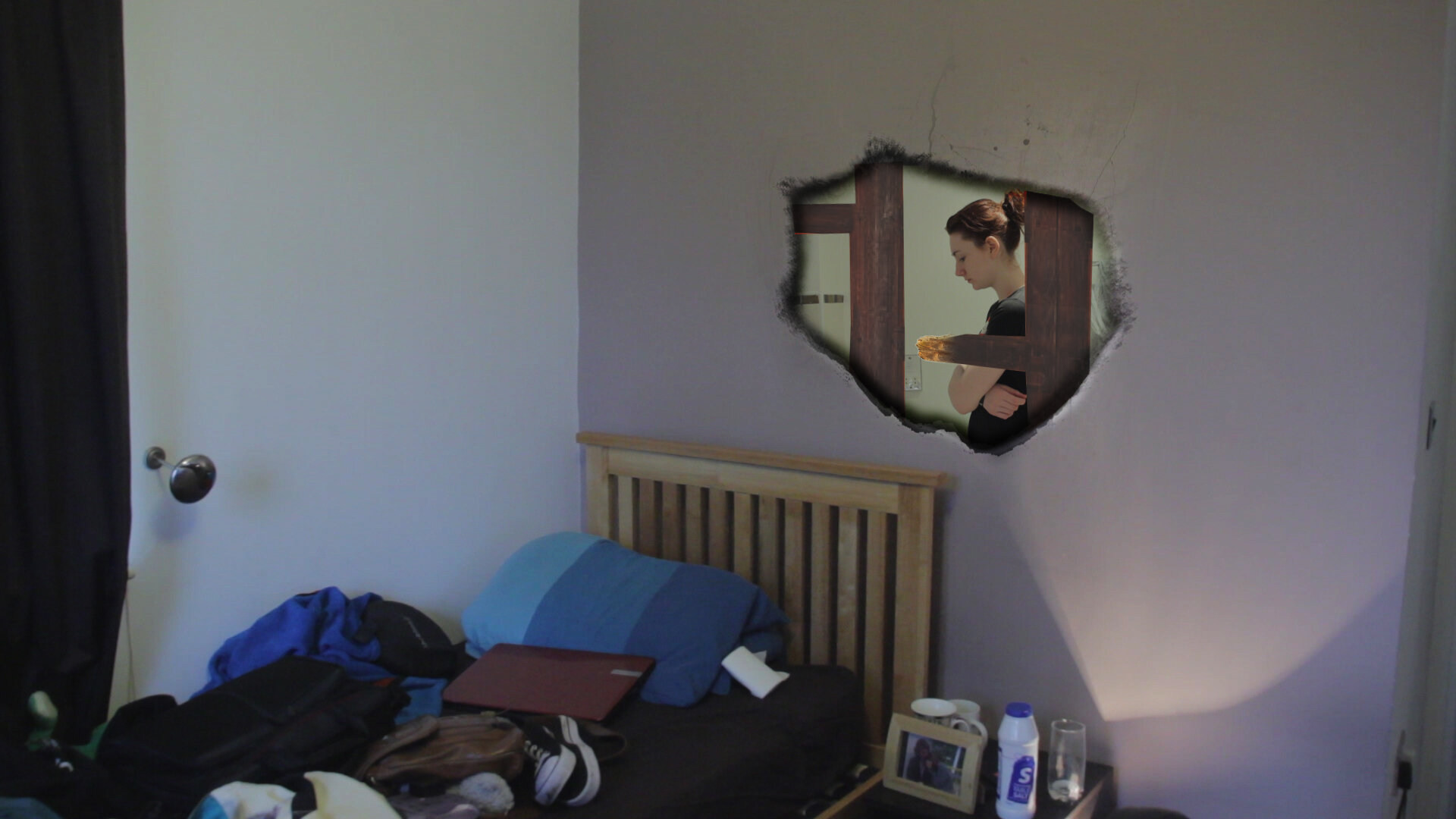
We are going to show you how correctly light a green screen both in and outdoors. We will also go through what kit we use and why, and how you can make your own accessories for cheap. I am going to do a tutorial for putting a hole in a wall in after effects, similar to the effect in one of out upcoming videos "captcha IRL"

So a very exciting and informative week for us and hopefully. Going to get back to posting daily and hopefully show more hints and tips.

If student filmmakers need any help with anything tweet us or email me at daniel@zodiacproductions.co.uk and we will try to help out, can be any aspect from pre to post production.

One of ZodiacVFX's main areas is to provide high quality help to new film  makers :)


Thursday, 21 February 2013

Coverage is Key

One of the best tips ZodiacVFX can give for a set is to get as much coverage as you can. There is nothing worse for a editor to be stuck with a sequence which cant be pieced together. When I am on camera for ZodiacVFX we do the action the full time in all the shots, this enables us to have all our shots from our shotlist in full, not just the bits that we thought we would need. A downside to this is that it can take a bit more time to complete, but it will help so much when you get to post production.

As Zodiac we learnt this hardway and because of this some of our first productions lacked the outcome we had intended. Coverage is key.

Another way to get coverage, is to shoot multicamera, this enables the action in the shots to be exactly the same and therefore smoother to cut to. Downsides to this are; access to cameras, limited positions on set, not getting in each others shot and making sure the cameras match up. If you know these downsides you can then work on them to make them work for you

Remember you can never have too much footage but can always have too little.

Wednesday, 20 February 2013

Know when to cut

When your footage starts rolling in, the final part (and in my opinion the most exciting) of production begins. I think as editors it is really important scenes and shots are cut if they don't add anything to the production or narrative.

This of-course is easily said than done and can be quite upsetting seeing a shot you feel is great not make it into the edit. It becomes especially harder when you have filmed that shot as well but it is a duty of a editor to make the feeling and flow of a narrative using only shots they need.

Also trust your editor, the editing can make or break a production and there is art to it, you have to be able to feel the ryhthym and pace of the piece, once this can be done your audience can be manipulated how you want them too, whether its an emotion of happiness, fear or sadness.

Trust your inner instincts and if you feel a shot is held to long or doesn't add anything to a narrative, cut to a alternative angle and enable the story to flow on.

Get out there and make your films :) I would love to see anything you guys make.

Tuesday, 19 February 2013

Lenses for student/new film makers

Getting into the film or even television can become extremely expensive. Especially if you buy your own kit, with the boom of DSLR's shooting HD footage has become somewhat cheaper. The problem is a filmmaker never has a full kit and quite often has to find ways to use what they have efficiently  or even make their own DIY builds (See my previous post on this) http://zodiacvfx-dan.blogspot.com/2013/02/diy-filmmaking.html.

It's known that both the camera and lens impact the quality of the image, but ultimately you can have a fairly cheap body such as a 550d or even a 60D like myself and its the lens that makes the difference. I remember watching a Corridor Digital video in which they said the captured image is only as good as the glass it passes through. This is where the problem is for student film makers, decent lenses are usually 100's of pounds especially if you are looking at Canon's L series. 

So how can you work around this? Well there are many cheap good lenses out there, of course they aren't going to be the same quality as the expensive ones but for starting out they do the job. The canon 50mm prime 1.8 is not only cheap, but it provides amazing results for the price and I think it should be part of a new film makers arsenal. My first lens was a sigma 18-200mm 3.5-6-3 lens, at first I struggled with the lens as I realized to get a decent shot, I had to have my ISO turned up in the 1000's, I was quite dissapointed with the lens, but as I learnt more about lighting, the lens became quite useful again, like I was saying it wasn't the quality of an L series, but the shots looked great and soon made it into the edit. With properly lit shots, I could shoot with a higher shutter speed, lower aperture and a lower iso meaning the shots came out as intended and allowed me and the crew to manipulate focus how we wanted too. Like I was saying on my previous post, using lower quality kit, in my opinion forces you to learn how to use the kit properly, so when it comes to having a L lens, you fully understand how to use the lens and manipulate different things to get what you want.

So if you are a new film maker don't let your equipment put you off, you can make a movie on almost any camera, and most computers come with editing software. Get your kit together and make the films you want to, don't fall into the trap of "We will make the film next year when I get some new kit" film it now and make it happen.

Monday, 18 February 2013

DIY Filmmaking

I have always found that starting in filmmaking demands alot from people, and its something ive grown to love. The countless list of things to do during a production absolutely amazes me. I love how a spark of an idea can develop into something so powerful it can affect 1000s of people.

I also love the creativity that comes with making low/no budget productions. I remember when I first got my DSLR I made a shoulder rig out of PVC plastic, it wasnt the sturdiest thing but it did its job. I find that learning on something imperfect makes you truly appreciate how to use that object. I remember when being taught about depth of field, the cameras where pretty useless and to achieve the shallow focus, we had to stand meters back, zoom in, have subjects meters away from each other and then we still only got a minute DoF (probably due to the small sensor) the aperture was wide open too. I found learning under these circumstances enabled me to truly understand how to manipulate focus, it's great now I can pick my DSLR up and achieve a nice DoF, not only that, I know now how to manipulate it and use it to my advantage.

So new filmmakers don't let expensive equipment put you off making a film. Use what you can to achieve the affect you want. There are lots of cheap materials to do this and even reuse stuff you don't need anymore, old rollerblade videos make good wheels for a DIY slider. Trollies also make good (but shaky  dollies. Use your imagination what you used to create your world and apply it to the real world to help you get the shot you need. 

So stick with it and use your imagination! 


Sunday, 17 February 2013

ZodiacVFX Introduction

Hi Guys, my name is Daniel and i'm a creator and member of the YouTube channel ZodiacVFX. On this page I am going to post about our happenings and any tips and tricks I come across.

ZodiacVFX is YouTube channel in which a crew of 10 create, make and showcase their ideas. Every member is ready and excited to get the channel going. It is really a brilliant atmosphere to be in. It's really interesting working with a big group and teamwork is such a powerful element. We all get along really well and take into consideration other peoples ideas and thoughts. Everyone has their strengths and weaknesses and we hope through making these videos we can increase our skill set and leave university with what we need to succeed in the Media industry.

Before we was a ten, myself and another member originally started the channel. We managed to create a couple of videos which was the basis of the channel. Mr Matte was out first video, every week we hope to release a better and more visually pleasing piece. https://www.youtube.com/watch?v=iLOmMonPHY0

We have started to film some videos for the channel, we try to film 3 a week in between University. We film a Vlog called Fstop, a short video and a Behind The Scenes to go with that video. Our first Vlog went up this week and featured the baftas.

We have also been working on a video called Captcha IRL and I have been doing the VFX for it. It has been a great challenge but like any shoot, I have learnt so much. I have been using Video Copilot's Element3D to complete some of the shots, I must say that the plugin is absolutely amazing and I think its going to completely change the way people use After Effects. This is what I created using the plug-in.


The video is a weird one, we follow a student in his ordinary routine but we quickly see something is different when captcha codes begin to take over his life.

This is a brief overview of the channel if you like what you see, connect with us on our social media accounts.

Twitter : @ZodiacVFX

Facebook : https://www.facebook.com/pages/Zodiac-VFX/195947747093349Youtube : ZodiacVFX